
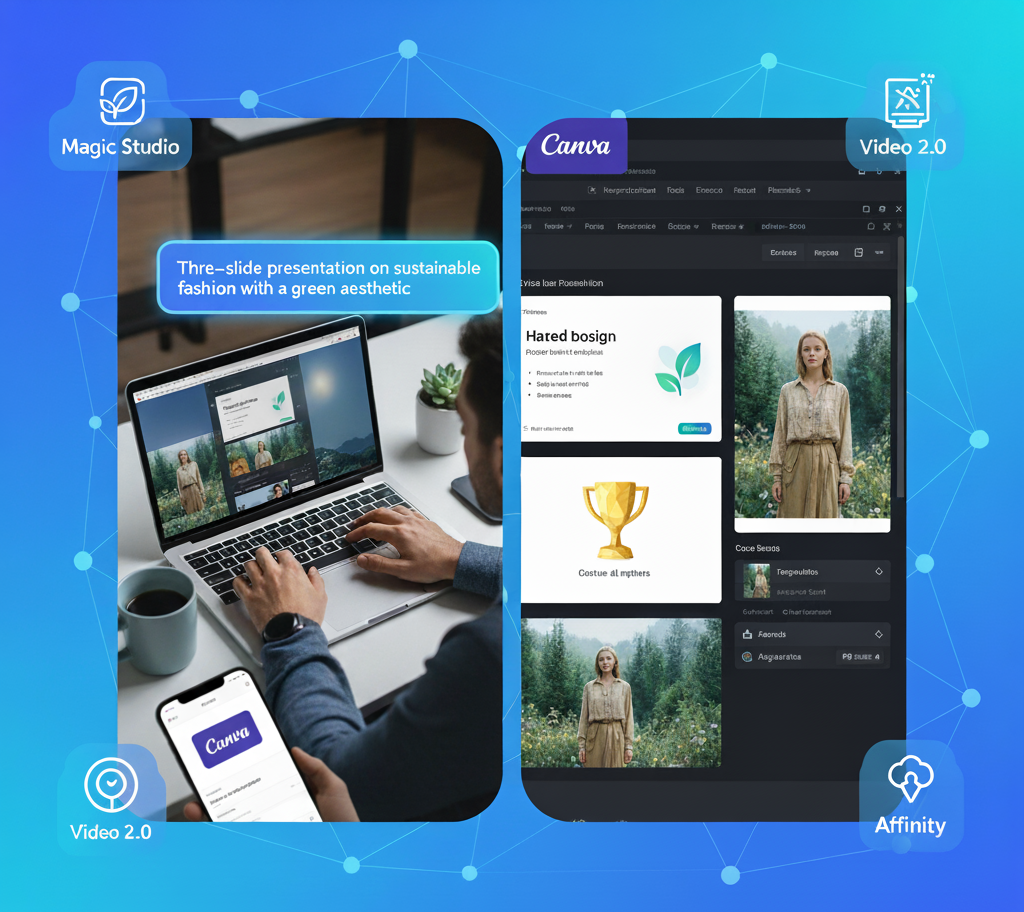
The design world just got a major upgrade. Canva, the platform that made visual communication accessible to everyone, has officially unveiled its Creative Operating System (Creative OS).
This is not just a software update it’s a comprehensive restructuring that unifies every stage of the creative process, from an initial spark of an idea to final performance tracking. For individual creators, marketers, and businesses, the Creative OS is a powerful shift, promising to make the transition from thought to polished design faster than ever before.
Let’s dive into the core engine of this revolution: the Canva Design Model and the suite of game-changing AI tools it powers.
The AI Brain: Understanding the Canva Design Model
At the heart of the Creative OS lies the Canva Design Model, the world’s first AI system trained specifically to understand the deep, complex logic of design.
Unlike other models that simply generate static images from text, the Canva Design Model understands structure, visual hierarchy, layer composition, and branding.
Core AI Tools for Creators and Their Uses:
| AI Tool / Feature | What It Does (The Use) | Access & Benefit |
| 1. AI-Powered Designs | Generates an entire, multi-slide, and fully editable design (e.g., a 10-page presentation or social campaign) from a single text prompt. | Benefit: Instantly bypass the blank page problem with structured, on-brand content. |
| 2. AI-Powered Elements | Creates custom, ready-to-use visual assets, including 3D graphics, unique shapes, icons, and textures, directly in your design based on a prompt. | Benefit: Eliminates the need to search for perfect stock photos; you can now generate custom 3D assets. |
| 3. Ask @Canva | A context-aware assistant that you can summon anywhere in the editor for instant feedback, copy suggestions, and smart edits. | Benefit: Get a “second creative opinion” on layout, contrast, or text directly in your workflow (tag @Canva). |
| 4. Magic Video | Automatically assembles, edits, and adds effects to your uploaded clips based on a written prompt, turning raw footage into a polished video instantly. | Benefit: Massively speeds up video production, turning hours of editing into a one-click process. |
| 5. Style Match & Magic Background | Style Match unifies elements to match the existing aesthetic. Magic Background generates a complementary backdrop that perfectly fits your subject. | Benefit: Ensures total brand consistency and makes complex composition look professional instantly. |
The New Visual Suite: Beyond the Canvas
The Creative OS also introduces powerful additions that expand Canva far beyond simple graphic design:
- Video 2.0: A complete overhaul of the video editor, featuring a professional-grade timeline for more precise control, trimming, and layering. This is the home of the new AI-powered Magic Video features.
- Email Design: Create fully branded, responsive marketing emails using the familiar drag-and-drop editor, then export clean, ready-to-send HTML files for use in any external email platform.
- Forms & Canva Sheets: Design beautiful, interactive forms and surveys that can be embedded anywhere. All collected data flows automatically into the new Canva Sheets (a spreadsheet tool) for analysis.
The Game Changer: Affinity Software is Now Free Forever
Perhaps the biggest industry shake-up is Canva’s decision to make its professional design suite, Affinity, completely free for everyone.
Affinity includes three powerful applications previously sold separately:
- Affinity Designer: Professional vector graphics and illustration.
- Affinity Photo: Advanced, non-destructive photo editing and manipulation.
- Affinity Publisher: Robust page layout and publishing for books, magazines, and reports.
By integrating Affinity, Canva has successfully bridged the gap between accessible, everyday design and high-end, professional creative work. You can create detailed assets in Affinity and seamlessly transfer them to Canva for team collaboration and wide-scale publishing.
How to Access the Creative OS and Plan Details
You do not need to download a new “operating system.” The Creative OS is the new experience you access through your existing Canva account:
1. How to Access It
- Web Access: Simply log in to the official website:
https://www.canva.com/ - App Access: Ensure your Canva Desktop App (Windows/Mac) and your mobile apps (iOS/Android) are fully updated.
2. Canva Plan Overview (Pricing)
The new Creative OS experience is tiered across Canva’s subscription plans.
| Plan | AI Access & Key Benefits | Ideal For |
| Canva Free | Basic access to the new Visual Suite and limited uses/credits for the Magic Studio AI tools. | Individuals & Students |
| Canva Pro | Unlimited use of many AI tools (like Magic Write), higher AI credits, premium templates, and full access to Brand Kit tools. | Frequent users & Small Teams |
| Canva Business (New Tier) | Includes Pro features plus expanded AI credit limits, advanced analytics (Canva Grow marketing engine), and enhanced storage/brand controls. | Growing Marketing Teams & SMBs |
Conclusion
Canva’s Creative Operating System marks a pivotal moment in creative technology. By making high-end tools like Affinity free and embedding deep, design-aware AI into every corner of the platform, Canva is solidifying its position as the ultimate all-in-one hub for content creation.
Ready to see the magic for yourself? Simply log in and explore the new features integrated directly into your editor today!
Related Article: Canva Creative Operating System



One Comment