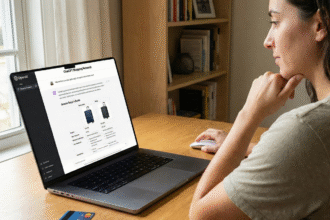

Featured Image Idea: A clear, high-contrast visual of a worried person looking at a laptop screen that displays the ‘Your devices’ list in the Google Security settings, with a large, green ‘Sign out’ button highlighted.
Post Meta (Snippet)
Focus Keywords: check gmail login activity, devices logged into google, remove unauthorized devices, how to secure gmail
Meta Description: That old work PC? The library computer? Find out exactly which devices are logged into your Google Account right now! This easy, two-minute guide shows you how to check your Gmail login activity and instantly kick out any unauthorized users to boost your digital security.
Hey there, digital citizen! Let’s talk about the unsung hero of your online life: Gmail.
It’s more than just an email app, right? It’s your digital passport, your online vault. We use it to store everything from precious family photos to critically important documents, password reset links, and even those pesky banking confirmations.
And because it’s so essential, we’re signed in everywhere: our personal laptop, our work desktop, maybe an old tablet we gifted to a relative, or—gasp—that dodgy public computer we used in a panic six months ago.
That convenience comes with a catch: Your account might be exposed! Forgetting to log out is a tiny oversight with huge potential consequences, opening the door to unauthorized access and scary data theft.
It’s time to stop worrying and start checking. Don’t let your digital life be an open book! Here are the two ultra-simple ways to get instant clarity on your Gmail’s login activity and secure your account before it’s too late.
Method 1: The Account Security Deep Dive (The Must-Do Check)
This is the ultimate, most comprehensive way to see every single device—past and present—that has touched your entire Google Account (Gmail, Drive, Photos, and all).
Step-by-Step Device Audit:
- Open Gmail: Log into your account on your computer or through your phone’s browser.
- Click Your Profile Picture: You’ll find it in the top-right corner.
- Go to ‘Manage your Google Account’: Select this option from the dropdown menu.
- Find the Security Tab: On the new page, click or tap the “Security” tab.
- Look for “Your devices”: Scroll down to this section and click “Manage all devices.”
That’s it! You’ll see a clear list of all phones, tablets, and computers currently signed in. The system shows you the location, device type, and the last time it was active.
Action Time: Remove Unauthorized Devices!
- See a device you don’t recognize? That’s your red flag!
- Click on the unfamiliar device, and then confidently hit the “Sign out” button.
- The intruder is instantly locked out. Peace of mind, restored!
Method 2: The ‘Last Activity’ Quick-Check (The Desktop Shortcut)
While Method 1 is the ultimate audit, this second method is a fast way to check recent Gmail-specific activity if you’re already in your inbox on a desktop browser.
- Login to Your Gmail: Open your inbox on a computer.
- Scroll to the Bottom: Look all the way down at the very bottom-right corner of your email list.
- Click “Details”: You’ll see the text “Last account activity: [x] minutes ago” next to a tiny link called “Details.” Click it!
A pop-up will show you a list of your most recent sign-ins, including the IP address, approximate location, and the type of access (like a specific browser or mobile).
- Notice a weird IP address or a location you’ve never visited? This can indicate suspicious activity.
- If you see anything that makes you nervous, click “Sign out all other web sessions” at the top of that box to instantly shut down everything but your current session.
Urgent: What to Do After Finding an Intruder!
If you had to click “Sign out” on any unfamiliar session, you need to take these two steps immediately to secure your digital life:
- Change Your Password: A strong, unique password is your first line of defense. Make it long, use a mix of capital letters, symbols, and numbers, and never reuse it!
- Enable Two-Step Verification (2SV): This is non-negotiable! Go back to the Security tab in your Google Account and turn on 2-Step Verification. This means that even if a hacker steals your password, they can’t get into your account without the code sent to your physical phone. It’s the highest security boost you can get.
By regularly performing this quick check—maybe during your weekly coffee break—you are taking control of your security. Stop worrying, start checking, and keep your valuable data safe!